Windows 10 Enterprise 2021 LTSC (Long-Term Servicing Channel)
Is a specialized edition of Windows designed for mission-critical systems that require maximum stability and long-term reliability.
It delivers a fixed feature set with no major feature updates, receiving only essential security and quality updates throughout its lifecycle. This edition excludes consumer-focused components such as Microsoft Store and Cortana, reducing system overhead and minimizing unexpected changes. With long-term support and a predictable update model, Windows 10 Enterprise 2021 LTSC is ideal for industrial devices, embedded systems, and business environments where consistency and control are essential.
Download the Windows 10 IoT Enterprise 2021 LTSC ISO:
en-us_windows_10_iot_enterprise_ltsc_2021_x64
Other language options:
Windows LTSC Download
Clean Install or Upgrade to
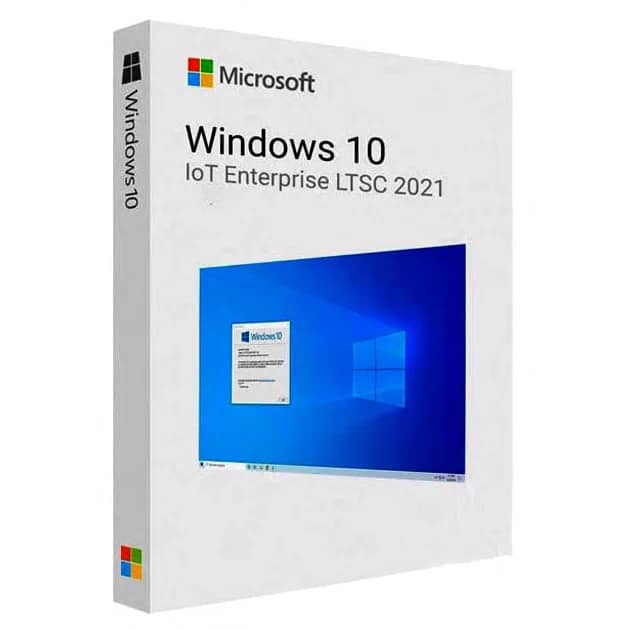
Windows 10 IoT Enterprise 2021 LTSC
Option 1: Clean Install Windows 10 IoT Enterprise 2021 LTSC
-
Download the Windows 10 Enterprise LTSC 2021 ISO in your preferred language from the official links above.
Note: The ISO does not need to be the IoT version.
-
Perform a clean installation of Windows using a standard Windows installation method (USB or DVD).
-
After Windows installation is complete, open:
Settings → Update & Security → Activation
-
Click Change product key and enter your Windows 10 IoT Enterprise 2021 LTSC product key (provided by email).
-
If activation does not start, enter the following upgrade key instead:
⚠️ This key only changes the Windows edition to Enterprise LTSC.
It does not activate Windows.
-
Once the edition upgrade is complete, return to the Activation screen and enter your original IoT Enterprise LTSC product key to activate Windows.
Option 2: Upgrade Existing Windows (Keep Files & Apps)
This method allows upgrading Windows 10 Home, Pro, or Enterprise to
Windows 10 IoT Enterprise 2021 LTSC while keeping personal files and applications.
Step 1: Download the ISO
Step 2: Verify System Architecture
Open PowerShell as Administrator and run:
-
x64 = 64-bit
-
x86 = 32-bit
Step 3: Verify System Language
Open Command Prompt as Administrator and run:
Step 4: Mount the ISO
-
Right-click the downloaded ISO file
-
Select Open with → Windows Explorer
-
A new virtual DVD drive will appear
Step 5: Prepare the Edition Upgrade
Open Command Prompt as Administrator and run:
Step 6: Start the Upgrade
-
Immediately open the mounted DVD drive
-
Run setup.exe
-
Proceed until you reach the final confirmation screen
⚠️ Do not delay at this step, or the option to keep files and apps may disappear
-
Confirm that “Keep personal files and apps” is selected
-
Continue and wait for the upgrade to complete
Step 7: Activate Windows
-
Open Settings → Update & Security → Activation
-
Click Change product key
-
Enter your Windows 10 IoT Enterprise 2021 LTSC product key
If activation does not start, use the following upgrade key first:
After the edition upgrade completes, return to the Activation screen and enter your original IoT product key to activate Windows.
After completing your purchase and verifying your order details and payment status, your software license key will be sent to you via email.
Thank you for your trust.
- Will I get an invoice?
Invoice will automatically generate upon placing an order.
- Where can I find my invoice?
Once your order is completed, you can download your invoice from your account dashboard:
My Account → Orders → View Order → Download Invoice (PDF).
- Can I edit my invoice?
Currently, you cannot do this yourself. Please contact our support via email at customersupport@licenses.thurayatec.com, and we will be glad to assist you with the matter. For a faster process, please include the order number and any relevant information you want to be shown (such as your name, ID/tax number, etc.).
- Can I install this on macOS?
No, this product does not support macOS, only compatible with Windows 10 and 11.
- Can I redeem this product anywhere?
Yes, this Product is a Global version.
- Can I transfer this product to new hardware?
No, The code is valid for 1 pc or 1 installation – if you uninstall or reinstall you might need to buy a new code.
- Is there a specific way I need to install this product?
Please read the ‘Activation’ tab.
- What if I need a COA sticker for that product?
The COA label print can be scanned and sent to you upon request, for an additional charge.



Reviews
There are no reviews yet.