Corel PDF Fusion For Windows Cd Key Global
Available Languages: EN, FR, DE, JA
Please note: This is a one-time purchase license with no recurring fees; updates and upgrades are not included.
Note: You cannot link this license to a personal account or log into an account while using the software, as the license is tied exclusively to your system or device.
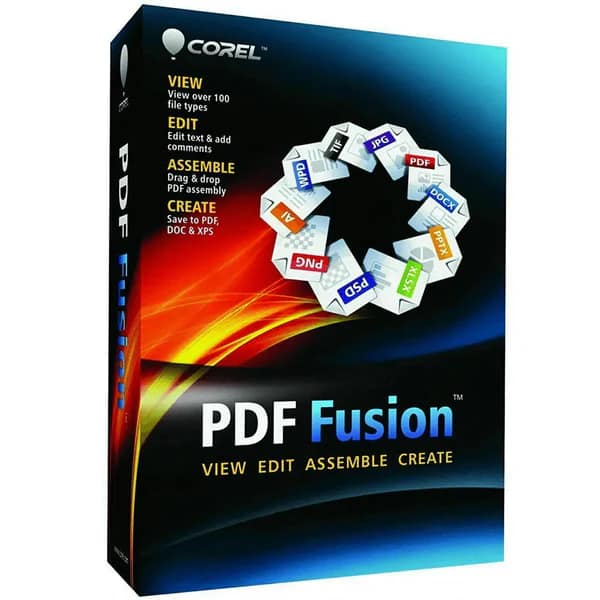
Corel PDF Fusion for Windows digital download is an all-in-one PDF creator, editor, and converter designed to boost productivity by enabling users to open, view, assemble, edit, and create PDFs from over 100 different file formats without needing the original software used to create the files. It supports file types including PDFs, Microsoft Office documents, spreadsheets, presentations, graphics, photos, and even complex technical illustrations like Visio and AutoCAD files.
Key product features include:
- Drag-and-drop interface to easily create PDFs by combining pages from multiple documents into a single PDF package.
- Ability to add or edit text, bookmarks, comments, rotate or crop pages, and reorder pages through simple drag-and-drop actions.
- Conversion capabilities to save files as PDF, PDF/A, XPS, or DOC formats with one click.
- Batch conversion for multiple files to convert several documents at once.
- PDF creation directly from any application supporting printing, with integration tabs in Microsoft Word, Excel, and PowerPoint for quick PDF publishing.
- Presentation mode for viewing files as full-screen slideshows.
- System compatibility covers Windows 7, 8, 10, and Windows Server systems, requiring modest resources: 512 MB RAM (1 GB recommended), 250 MB free disk space, and a 1.3 GHz processor or faster.
- Deployment options include support for Windows Installer File (.msi) packaging and integration into enterprise systems using Novell ZENworks, Citrix XenApp, and Windows Group Policies.
- Corel PDF Fusion is ideal for small businesses, educational institutions, and general office users who need a reliable, cost-effective PDF solution that simplifies managing diverse document formats and eliminates the need for multiple software licenses. It offers significant value with its comprehensive functionality while avoiding subscription fees common with other PDF editors.
Activation Instructions for Corel PDF Fusion For Windows:
1. Download the Installer from HERE
2. Run the Installer
Double-click the downloaded executable file (.exe) to launch the installation process.
3. Accept License Agreement
Read and accept the End User License Agreement (EULA) to proceed.
4. Choose Installation Type
Select between a typical (recommended) installation or a custom installation where you can choose specific components or installation paths.
5. Select Destination Folder
Choose the folder location on your Windows system where Corel PDF Fusion will be installed. The default path is generally fine.
6. Install Required Components
The installer will copy files, register software components, and may install any necessary prerequisites if missing (like Microsoft Visual C++ redistributables).
7. Complete Installation
After copying files and applying settings, the installer will notify that the process is complete.
8. Launch Application
You can choose to launch Corel PDF Fusion immediately or later via the Start menu or desktop shortcut.
9. Activate Software
On first launch, you may be prompted to enter a license key or activate the software online to enable full features.
10. Installation Requirements
Corel PDF Fusion supports Windows 7, 8, 10 and compatible Windows Server editions, requiring at least 512 MB RAM (1 GB recommended), 250 MB free disk space, and a 1.3 GHz processor or higher.
This installation process is straightforward and typical for Windows desktop applications, emphasizing ease of use and minimal user intervention.
After completing your purchase and verifying your order details and payment status, your software license key will be sent to you via email.
Thank you for your trust.
- Will I get an invoice?
Invoice will automatically generate upon placing an order.
- Where can I find my invoice?
Once your order is completed, you can download your invoice from your account dashboard:
My Account → Orders → View Order → Download Invoice (PDF).
- Can I edit my invoice?
Currently, you cannot do this yourself. Please contact our support via email at customersupport@licenses.thurayatec.com, and we will be glad to assist you with the matter. For a faster process, please include the order number and any relevant information you want to be shown (such as your name, ID/tax number, etc.).
- Can I install this on macOS?
No, this product does not support macOS, only compatible with Windows 10 and 11.
- Can I redeem this product anywhere?
Yes, this Product is a Global version.
- Can I transfer this product to new hardware?
No, The code is valid for 1 pc or 1 installation – if you uninstall or reinstall you might need to buy a new code.
- Is there a specific way I need to install this product?
Please read the ‘Activation’ tab.
- What if I need a COA sticker for that product?
The COA label print can be scanned and sent to you upon request, for an additional charge.












Reviews
There are no reviews yet.