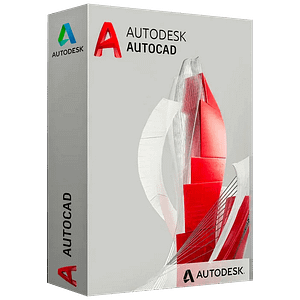
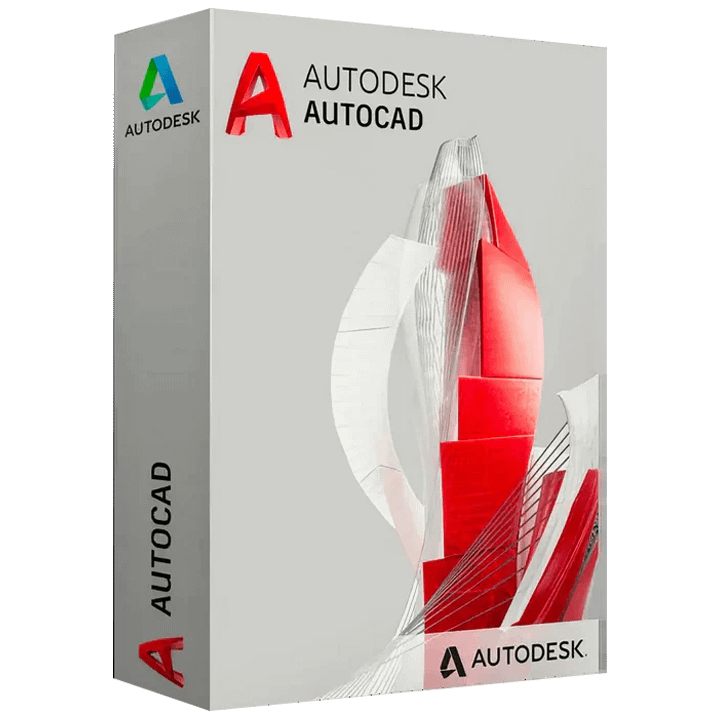
Autodesk AutoCAD 2025 for Windows 1 Device 1 Year License Global

Original price was: $25.60.Current price is: $19.60.


Share it:

Autodesk AutoCAD 2025 for Windows

Note: You cannot link this license to a personal account or log into an account while using the software, as the license is tied exclusively to your system or device.

Download and install trial version then activate your license code in program menu.
Available Languages: Multilanguage

Notice:

This license key gives you access to Educational Version of Autodesk AutoCAD. There is no reference to the educational version in print nor the classic watermark.

Cloud services and access to mobile and web applications are not included in this type of license!

Autodesk AutoCAD 2025 for Windows 1 Device 1 Year License – The industry-leading 2D drafting and design software.

AutoCAD 2025 allows designers, engineers, drafters and architects to create precise 2D drawings with comprehensive tools for drafting, annotation, editing and documentation. With AutoCAD, you can design and draft with precise 2D geometry, access a full set of drafting tools, and streamline your workflows through customization and automation.

Key Features:

-Draft, design and document in 2D with precise geometry, layers, blocks and other drafting essentials
-Annotate drawings with dimensions, text, and other annotations for clear technical communication
-Customize your interface and automate workflows with AutoLISP for increased efficiency
-Maintain drawing compatibility with Autodesk’s exclusive TrustedDWG technology
-Get the latest feature enhancements including layout tab menu improvements and performance optimizations

This 1-year license for AutoCAD 2025 gives you access to the full commercial version of AutoCAD on a single Windows device. Stay up to date with the latest features and fixes through annual subscription.

Whether you need AutoCAD for architectural, mechanical, electrical or other 2D design work, this is the perfect choice for professionals who rely on AutoCAD’s precision 2D drafting tools.
ACTIVATION INSTRUCTIONS:

Download and install Autodesk AutoCAD 2025 For Windows using the link below:

Please Note: You will have to download files from Download Link 1 to 2 For Each Language. You need all links to install this software

Download Link for English:

https://edutrial.autodesk.com/NetSWDLD/ODIS/prd/2025/ACD/99E57530-7CC1-31F4-89E9-24175C7690C2/SFX/AutoCAD_2025_English_Win_64bit_db_001_002.exe

https://edutrial.autodesk.com/NetSWDLD/ODIS/prd/2025/ACD/99E57530-7CC1-31F4-89E9-24175C7690C2/SFX/AutoCAD_2025_English_Win_64bit_db_002_002.7z

Download Link for Spanish:

https://edutrial.autodesk.com/NetSWDLD/ODIS/prd/2025/ACD/BCB62D9B-14E0-3933-927C-4FA4BAFDA43B/SFX/AutoCAD_2025_Spanish_Win_64bit_db_001_002.exe

https://edutrial.autodesk.com/NetSWDLD/ODIS/prd/2025/ACD/BCB62D9B-14E0-3933-927C-4FA4BAFDA43B/SFX/AutoCAD_2025_Spanish_Win_64bit_db_002_002.7z

Download Link for French:

https://edutrial.autodesk.com/NetSWDLD/ODIS/prd/2025/ACD/14748722-BFE6-3CCD-9049-D34DE0D1F387/SFX/AutoCAD_2025_French_Win_64bit_db_001_002.exe

https://edutrial.autodesk.com/NetSWDLD/ODIS/prd/2025/ACD/14748722-BFE6-3CCD-9049-D34DE0D1F387/SFX/AutoCAD_2025_French_Win_64bit_db_002_002.7z

Download Link for German:

https://edutrial.autodesk.com/NetSWDLD/ODIS/prd/2025/ACD/98F6F024-5791-33B5-9DAD-D6A1178CB07F/SFX/AutoCAD_2025_German_Win_64bit_db_001_002.exe

https://edutrial.autodesk.com/NetSWDLD/ODIS/prd/2025/ACD/98F6F024-5791-33B5-9DAD-D6A1178CB07F/SFX/AutoCAD_2025_German_Win_64bit_db_002_002.7z

Download Link for Czech:

https://edutrial.autodesk.com/NetSWDLD/ODIS/prd/2025/ACD/465CAD61-E25B-3B6F-9E5D-372AC3036356/SFX/AutoCAD_2025_Czech_Win_64bit_db_001_002.exe

https://edutrial.autodesk.com/NetSWDLD/ODIS/prd/2025/ACD/465CAD61-E25B-3B6F-9E5D-372AC3036356/SFX/AutoCAD_2025_Czech_Win_64bit_db_002_002.7z

Download Link for Hungarian:

https://edutrial.autodesk.com/NetSWDLD/ODIS/prd/2025/ACD/399CB949-4AB0-327D-9282-97F89D74DFE3/SFX/AutoCAD_2025_Hungarian_Win_64bit_db_001_002.exe

https://edutrial.autodesk.com/NetSWDLD/ODIS/prd/2025/ACD/399CB949-4AB0-327D-9282-97F89D74DFE3/SFX/AutoCAD_2025_Hungarian_Win_64bit_db_002_002.7z

Download Link for Japanese:

https://edutrial.autodesk.com/NetSWDLD/ODIS/prd/2025/ACD/210D0912-F46A-33A1-BAFE-AB33150EE849/SFX/AutoCAD_2025_Japanese_Win_64bit_db_001_002.exe

https://edutrial.autodesk.com/NetSWDLD/ODIS/prd/2025/ACD/210D0912-F46A-33A1-BAFE-AB33150EE849/SFX/AutoCAD_2025_Japanese_Win_64bit_db_002_002.7z

Download Link for Korean:

https://edutrial.autodesk.com/NetSWDLD/ODIS/prd/2025/ACD/AD7BA8FA-5A1F-3433-9A7C-A9CFFF4015EB/SFX/AutoCAD_2025_Korean_Win_64bit_db_001_002.exe

https://edutrial.autodesk.com/NetSWDLD/ODIS/prd/2025/ACD/AD7BA8FA-5A1F-3433-9A7C-A9CFFF4015EB/SFX/AutoCAD_2025_Korean_Win_64bit_db_002_002.7z

Download Link for Polish:

https://edutrial.autodesk.com/NetSWDLD/ODIS/prd/2025/ACD/0242AADE-B66F-3F3F-ACA4-37F92FB1A464/SFX/AutoCAD_2025_Polish_Win_64bit_db_001_002.exe

https://edutrial.autodesk.com/NetSWDLD/ODIS/prd/2025/ACD/0242AADE-B66F-3F3F-ACA4-37F92FB1A464/SFX/AutoCAD_2025_Polish_Win_64bit_db_002_002.7z

Download Link for Brazilian Portuguese:

https://edutrial.autodesk.com/NetSWDLD/ODIS/prd/2025/ACD/417A1CB2-E5A5-37E8-ACD8-66AB52B5C9A3/SFX/AutoCAD_2025_Brazilian_Portuguese_Win_64bit_db_001_002.exe

https://edutrial.autodesk.com/NetSWDLD/ODIS/prd/2025/ACD/417A1CB2-E5A5-37E8-ACD8-66AB52B5C9A3/SFX/AutoCAD_2025_Brazilian_Portuguese_Win_64bit_db_002_002.7z

Download Link for Russian:

https://edutrial.autodesk.com/NetSWDLD/ODIS/prd/2025/ACD/AAE626C9-9A7A-3E13-901E-B62D68A4788D/SFX/AutoCAD_2025_Russian_Win_64bit_db_001_002.exe

https://edutrial.autodesk.com/NetSWDLD/ODIS/prd/2025/ACD/AAE626C9-9A7A-3E13-901E-B62D68A4788D/SFX/AutoCAD_2025_Russian_Win_64bit_db_002_002.7z

After launching the application, enter the key directly into the software.

After completing your purchase and verifying your order details and payment status, your software license key will be sent to you via email.

Thank you for your trust.

  • Will I get an invoice?
    Invoice will automatically generate upon placing an order.
  • Where can I find my invoice?
    Once your order is completed, you can download your invoice from your account dashboard:

My Account → Orders → View Order → Download Invoice (PDF).

  • Can I edit my invoice?
    Currently, you cannot do this yourself. Please contact our support via email at customersupport@licenses.thurayatec.com, and we will be glad to assist you with the matter. For a faster process, please include the order number and any relevant information you want to be shown (such as your name, ID/tax number, etc.).
  • Can I install this on macOS?
    No, this product does not support macOS, only compatible with Windows 10 and 11.
  • Can I redeem this product anywhere?
    Yes, this Product is a Global version.
  • Can I transfer this product to new hardware?
    No, The code is valid for 1 pc or 1 installation – if you uninstall or reinstall you might need to buy a new code.
  • Is there a specific way I need to install this product?
    Please read the ‘Activation’ tab.
  • What if I need a COA sticker for that product?
    The COA label print can be scanned and sent to you upon request, for an additional charge.


Reviews

There are no reviews yet.

Be the first to review “Autodesk AutoCAD 2025 for Windows 1 Device 1 Year License Global”

Your email address will not be published. Required fields are marked *